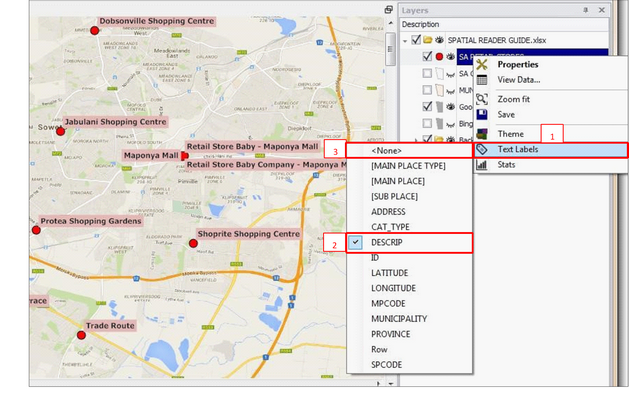
Map labels allow you to display a data column as a label on your map
• Right click the map layer you want to label in the Layers Description box
• Click ‘Text Labels’ (1)
• Choose the column you want to label (2)
• The labels will appear on your map
• Note, you are not able to make any changes to the label settings (font, colour, scale etc.) These are determined when the Spatial Reader files are created.
• To switch off a label again browse to the top of the list of labels and click ‘None’ (3)