1.7. Get Detailed Locations of Current Row
To get a list of all possible locations for a row
• Right click a row in your spreadsheet
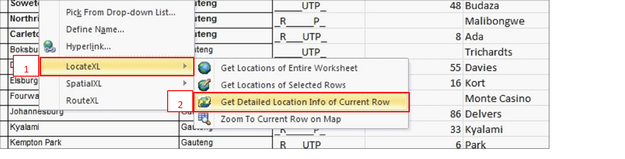
• Select ‘LocateXL’(1) and click ‘Get detailed location information of Current Row’ (2)
• This will bring up all possible matches for this row (limited by the maximum number of matches) *Note, make sure to right click a cell in your address columns, and not in the geocode result columns
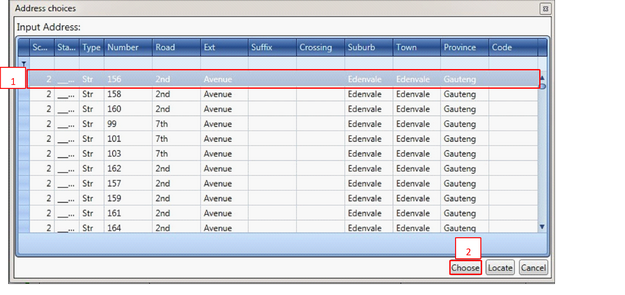
In the Address Choice box that pops up you can search or filter any column to try and find a better match. If you do find a better match you can select (highlight) the row in the grid (1), and click ‘choose’ (2). This will automatically update your geocode result in your spreadsheet